
A website in two languages is two websites pointing at each other. If a search engine cannot tell which is which, neither ranks the way it should.
If your business sells in Venezuela, or anywhere in Latin America, and wants to sell abroad, sooner or later it needs a site in English. The temptation is a button that translates the page. It works for whoever has already arrived, and does nothing for the people still searching for you.
This guide walks through how we did it on kavaliero.com, which exists in full in Spanish and in English, and which decisions are worth making before the first line is written. It is the technical half of Getting found by AI assistants, not only by Google: every page readable and quotable, now in two languages.
One URL per language
The rule everything else follows from: each language has its own address. Search engines index addresses, not the state of a button. If Spanish and English share a URL and a switch swaps the text, the search engine sees only one of them.
On kavaliero.com Spanish has no prefix and English lives under /en. The landing page is kavaliero.com in Spanish and kavaliero.com/en in English, and the same goes for every page.
Spanish taking the unprefixed addresses has a consequence worth keeping in mind, which we come back to below: the default language is also the one served to any visitor the system cannot place.
Slugs in their own language
The slug is the last part of the address, and it counts as a signal in its own language. A Spanish page with an English address throws away a clue the search engine does read.
- /recursos and /en/insights: the section is called Recursos in Spanish and Insights in English, in its label and in its address.
- /proyectos and /en/work: we chose "proyectos" over "trabajos" or "portafolio". Across most of Latin America "trabajos" reads as job vacancies, "portafolio" sounds like a freelancer's folder, and "proyectos" is the word people already search with.
- /sobre-nosotros, /contacto, /automatizacion, /aviso-legal and /privacidad, each with its English counterpart.
- Articles, with a different slug in each language. This one is /en/insights/bilingual-website-spanish-english-seo; its Spanish twin has its own.
Case studies are the exception: their slug is the project's name and is the same in both languages, because a name does not translate. Kavaliero Systems lives at /proyectos/kavaliero-systems and at /en/work/kavaliero-systems.
If you change a slug, redirect the old one. Our articles section was /ideas and then /insights in Spanish before it became /recursos. Both old addresses redirect to the new one, so no old link ends in an error.
Why should a bilingual website's slugs be in their own language?
Because the slug is part of what a search engine reads to work out what a page is about and what language it is in. On kavaliero.com the articles section is /recursos in Spanish and /en/insights in English, and every article has its own slug in each language. Only proper names, such as the projects', repeat unchanged in both.
hreflang in pairs
Two addresses are not enough: the search engine has to know they are the same page in two languages. That is what hreflang is for, a tag in each page's head that names its counterpart and names itself.
<link rel="canonical" href="https://kavaliero.com/proyectos/kavaliero-systems"/>
<link rel="alternate" hreflang="es" href="https://kavaliero.com/proyectos/kavaliero-systems"/>
<link rel="alternate" hreflang="en" href="https://kavaliero.com/en/work/kavaliero-systems"/>
The English page carries the same pair, with its own address as the canonical. If either page fails to point at the other, the search engine may ignore the pair altogether, so the links have to go both ways.
The sitemap lists both addresses. For a while ours only listed the Spanish pages, with English as an alternate. Search Console counted half the site as submitted. Every page now appears twice, once per language, and every entry carries the same pair.
<url>
  <loc>https://kavaliero.com/en/work</loc>
  <xhtml:link rel="alternate" hreflang="es" href="https://kavaliero.com/proyectos" />
  <xhtml:link rel="alternate" hreflang="en" href="https://kavaliero.com/en/work" />
</url>
Anything that builds an address by hand, such as the sitemap or the canonicals, reads each language's segment from one place in the code. Written down twice, sooner or later they disagree.
Which language each visitor sees
Type kavaliero.com into a browser and you land on the unprefixed address, which is Spanish. For a Venezuelan that is right. For a German or a Brazilian it is not: for a while, any browser that asked for neither Spanish nor English was served Spanish, because the default language is also the fallback.
The fix reads the Accept-Language header, the language the browser says it prefers. If it did not ask for Spanish, it gets English. There is no hand-written redirect: it only sets the language cookie the routing already reads, so every localised address keeps working. An English browser opening /recursos ends up on /en/insights.
Two rules hold it up:
- A real choice always wins. If the reader used the language switch, their cookie outranks anything we might guess.
- Silence is left alone. Crawlers usually send no Accept-Language. One bounced to /en would never index the Spanish landing page it came to read. With no header, nothing changes and the hreflang pair does the work.
And one warning that saved us a disaster: never change the default language to fix a detection bug. In our case it would move Spanish to /es and break every canonical, every hreflang tag and every sitemap address at once.


It is not the only sound approach. On Kavaliero Systems, our sister line, the language lives only in the address, with no cookie and no detection: what the URL asks for is what you get. It is simpler and more predictable, at the cost of a visitor from abroad seeing Spanish first at the root.
Write it twice, don't translate it
Everything above is plumbing. What makes a bilingual site work is that each language reads as if it were written in that language. On kavaliero.com neither text is a translation of the other: both are written at the same time, each one natively.


Writing twice does not mean letting the two drift apart. Both languages have the same shape, and code checks it:
- Interface copy lives in two files, one per language, with over four hundred strings each. A script counts them, every list item included, and compares the two shapes. If one has a string the other lacks, it says so.
- Articles and case studies are typed modules, one per language. The compiler makes both carry the same structure.
- Every copy change touches both languages in the same change. It is a written rule of the project, not a good intention.
And copy never goes inside an image. A word baked into pixels is in one language and cannot be corrected; we cover that in An automation page with no stock photos.
When there are more than two
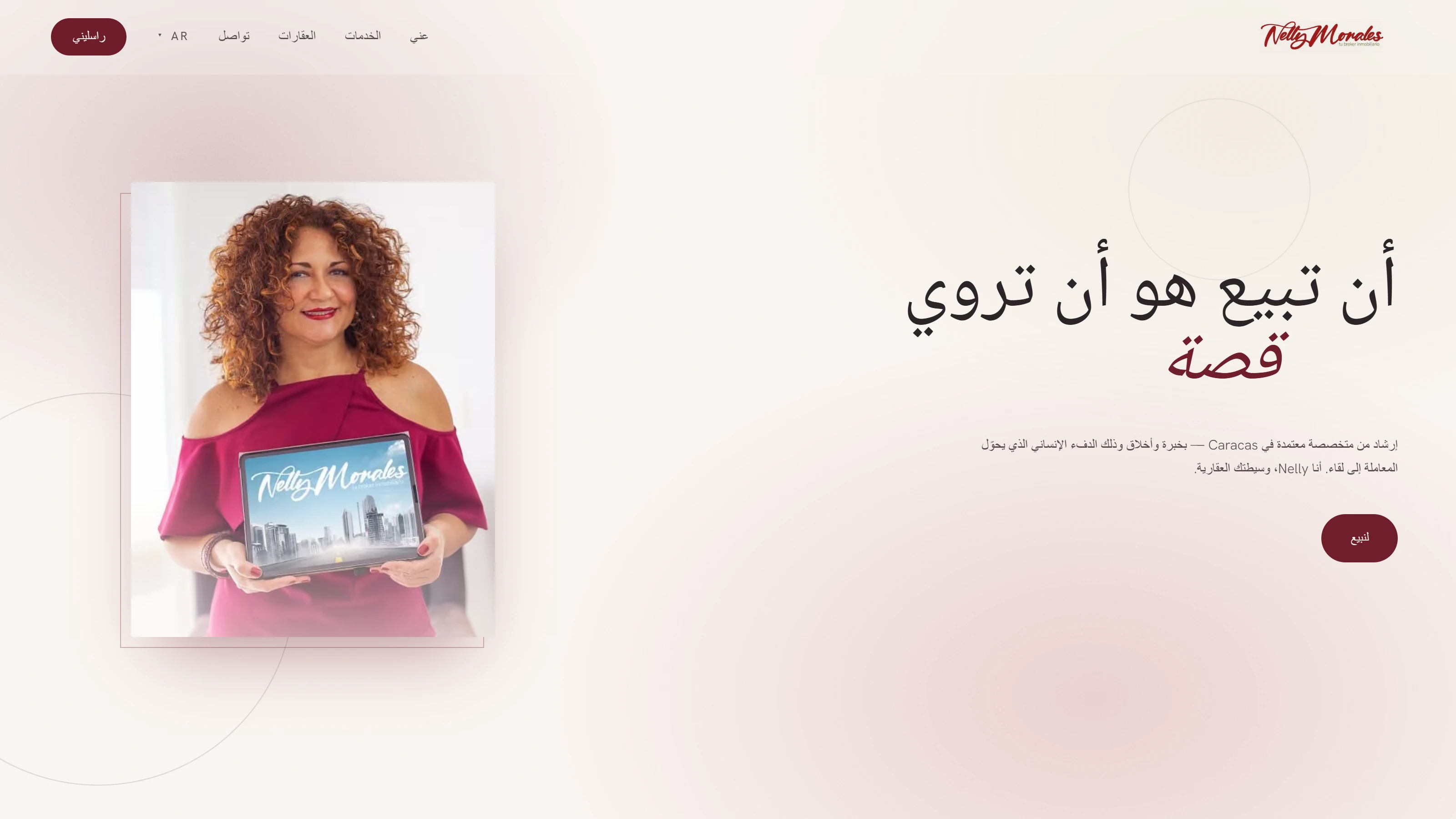
Nelly Morales's website reads in Spanish, English, Russian, Chinese and Arabic. Five languages bring problems two never do.
Arabic reads right to left, so the whole page mirrors. The pinned scenes keep travelling left to right, so the journey through them does not break.
The display typeface only covers the Latin alphabet. Each script gets its own font stack, and each language its own size ceiling, because the same headline takes up very different space in Russian and in Chinese.
Common mistakes
- A translate button that keeps the URL. The search engine indexes only one language.
- Slugs in one language for both versions. The Spanish page loses a signal in its own language.
- hreflang that does not go both ways. If the English page does not point back, the pair may be ignored.
- A sitemap in one language. Half the site is left unsubmitted.
- Redirecting crawlers. A crawler with no language that bounces to /en never sees the Spanish version.
- Overriding the reader's choice. Once someone has picked a language, no detection should change it.
- A click that never arrives. The language switch writes its cookie on click. Our page curtain intercepts clicks on links; if it also stopped them propagating, the switch would bounce back to the old language.
- Translating instead of writing. Translated copy shows, and on a services site it reads as carelessness.
Checklist
- Each language has its own address, for example a subfolder like /en.
- Each slug is in its own language, proper names aside.
- Each page declares its canonical and its pair with hreflang, pointing both ways.
- The sitemap lists both addresses of every page, and each entry carries the pair.
- Slugs that change redirect from their old address.
- Language detection respects the reader's choice and leaves alone anyone who says nothing.
- Both languages are written natively, and a script checks they have the same shape.
- No copy lives inside an image.
What all of this costs depends on how many pages the site has and who writes each language; we break that down in What a custom website costs. If you are about to commission a site in two languages, put in the brief which market each one is for: how to write that brief is in How to brief a website. And to see the result, switch language on any page of kavaliero.com.
Technologies and tools
- next-intl 4
- Localised routes, per-language slugs and the language cookie
- proxy.ts
- Reading Accept-Language and setting the cookie, with no hand-written redirect
- Next.js metadata
- Each page's canonical and its hreflang pair
- sitemap.ts
- Both addresses of every page, each with its pair
- next.config.ts
- Redirects for retired segments
- TypeScript
- Articles and case studies as typed modules, one per language
- A parity script
- Counts both languages' strings and compares their shape
Related projects and insights
Does your website need to speak another language? Write to us and tell us which markets you want to reach.
FAQ
What is hreflang?
hreflang is a tag that tells search engines a page has versions in other languages, and where they are. Each version should name itself and its counterpart. On kavaliero.com every Spanish page points to its English version under /en and the other way round, in the sitemap as well.
Subfolder or subdomain?
For the same business in another language, a subfolder like /en keeps both languages on one site, with one configuration and one sitemap. That is what kavaliero.com uses. A subdomain makes sense when it is another website: Kavaliero Systems lives at systems.kavaliero.com because it sells something else, not because it speaks another language.
Can you translate a website with AI?
You can use it for a draft, but the copy you publish has to read as though it was written in that language, with its own turns of phrase. On kavaliero.com Spanish and English are written separately, each natively, and a script checks that both have the same structure.
How does a website know which language to show?
From the address, first of all: each language has its own. On kavaliero.com, a visitor who has not chosen yet also gets English if their browser does not ask for Spanish, a choice made with the language switch is always respected, and crawlers that state no language stay on the page they asked for.