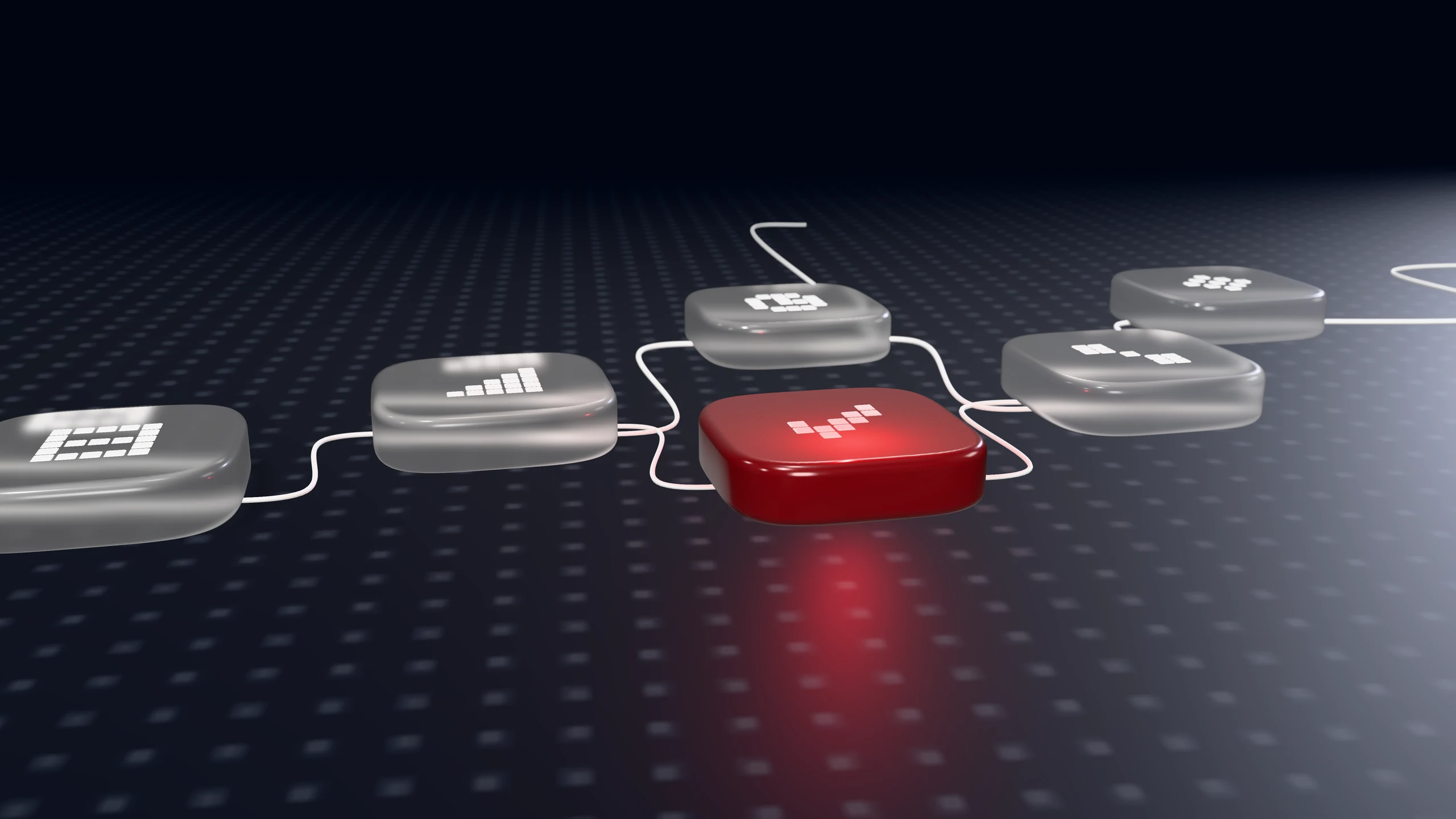
An AI can find companies and draft the first message. What it should not do is send that message on its own. Leadesse is designed around that moment.
Sales prospecting usually lives spread across a map, a spreadsheet, a CRM and a dozen browser tabs. Something gets lost at every jump, and it is nearly always the thing that mattered most: why that company was worth the call.
Leadesse is our platform for that, a product of the studio's own. It brings search, qualification, campaigns, an AI assistant and human review into one place, and keeps the reason behind each lead attached to the work that follows.
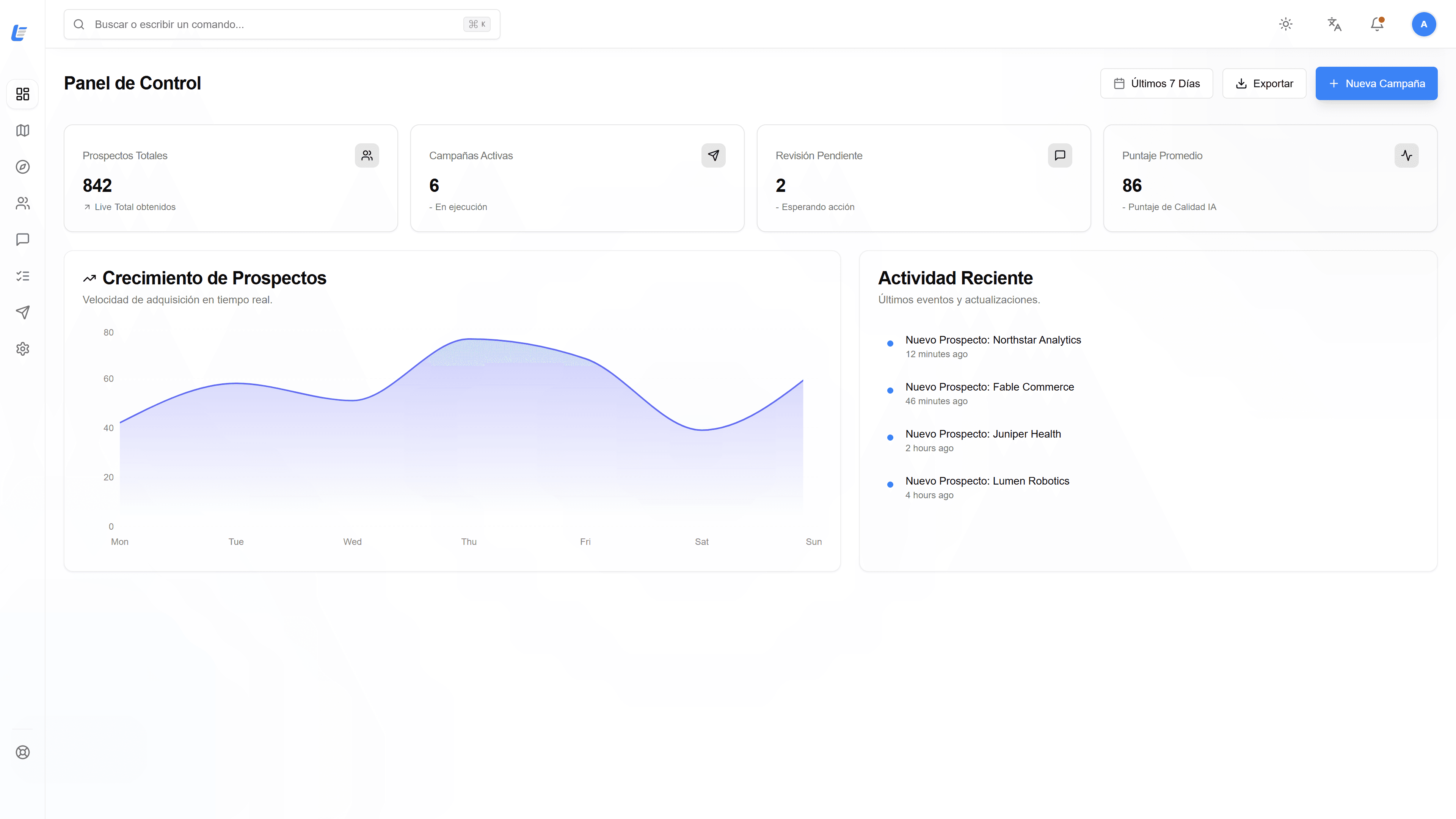
Every screen in this piece comes from the working demo, with sample data: the companies, names and figures in them are placeholders. The interface in the captures is the Spanish one.
The source explains why
A list of a thousand companies is no use if you have to open each one to find out whether it fits. So the search starts from criteria and ends with an explanation.
The criteria are the ones any salesperson uses: keywords, a location and a radius in kilometres. On top sits an AI strictness control, from broad to strict, and filters written in plain language, with shortcuts such as "no website", "poor rating" or "few reviews".
Every result explains its fit before it enters the pipeline: how closely it matches the search, its public rating, and whether its email address is verified. Only then is it saved. The team can judge the list before spending any time on outreach.
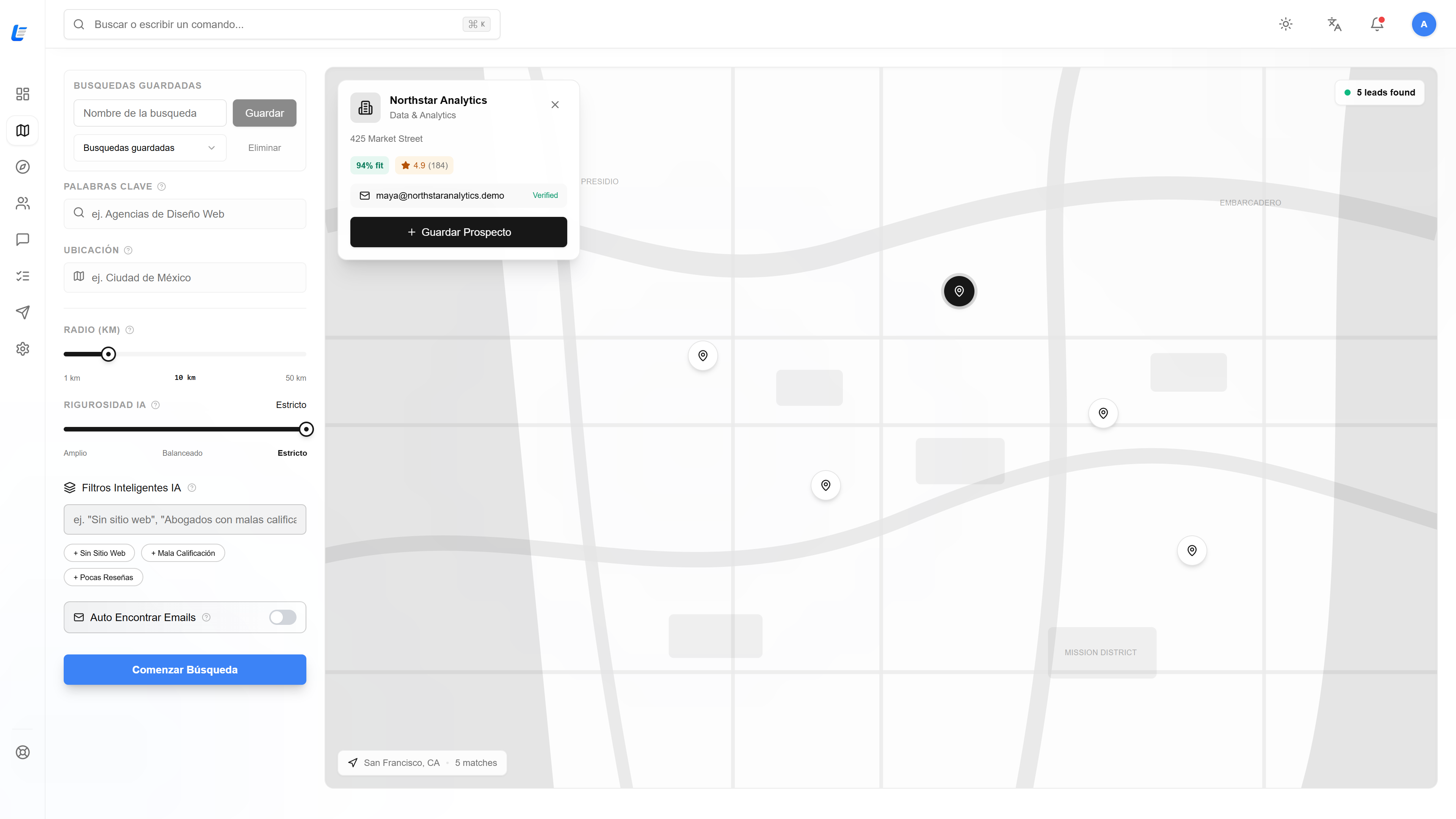
What should each result in a lead search show?
The reason it fits, before it is saved. In Leadesse each result shows how closely it matches the criteria, its public rating and whether its email address is verified, so the team can drop what is not useful at a glance. A list without those reasons forces research company by company, which is exactly the work the search was meant to save.
Context travels with the lead
The most common mistake in a product like this is starting from zero on every screen. A saved lead arrives in the table with everything that was already known about it.
The table holds company, contact, status and a win probability. Campaigns sit beside it, each showing its audience, its status and its tone before a batch runs. Nobody sends anything without seeing who it goes to and how it sounds.
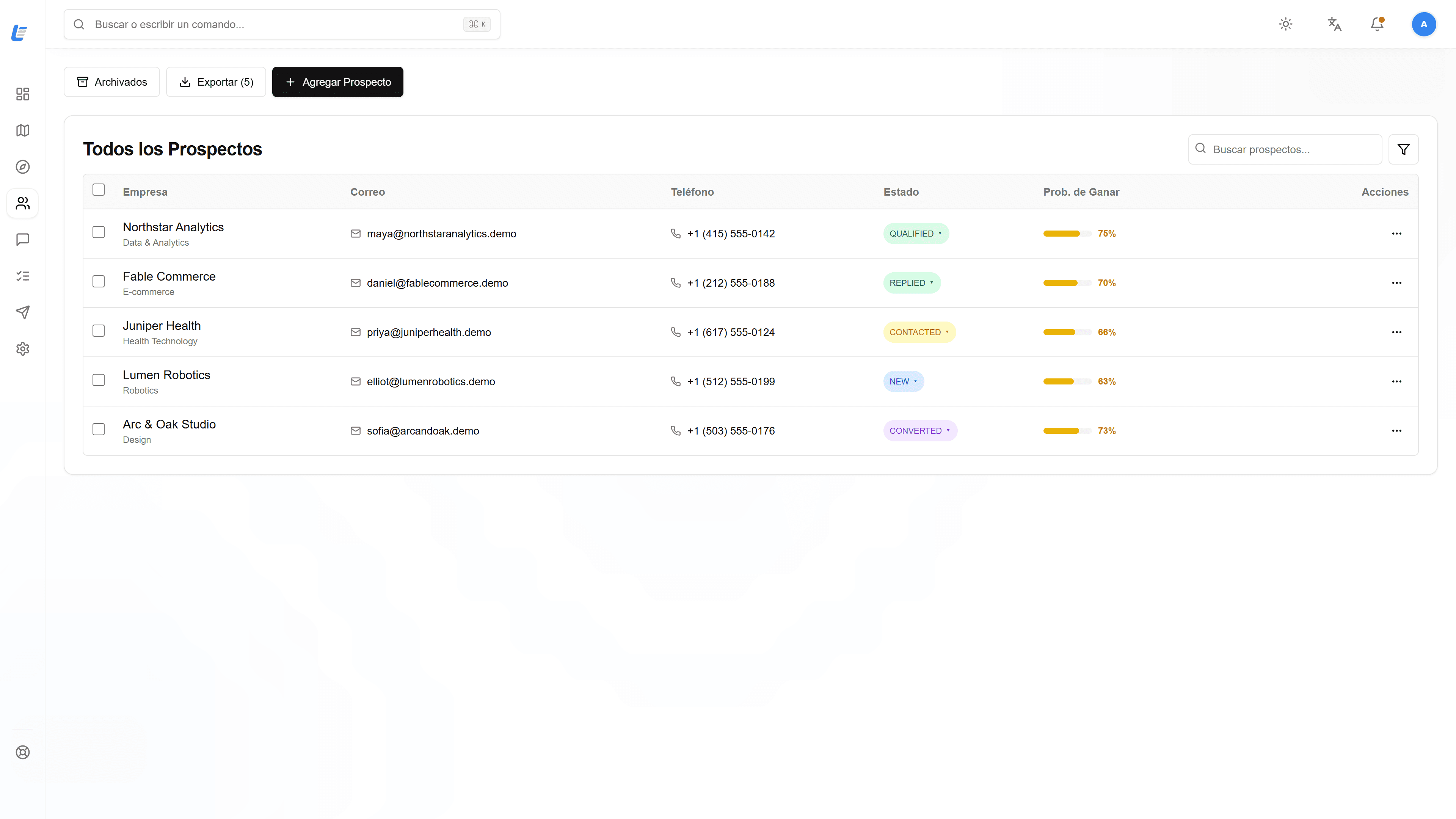
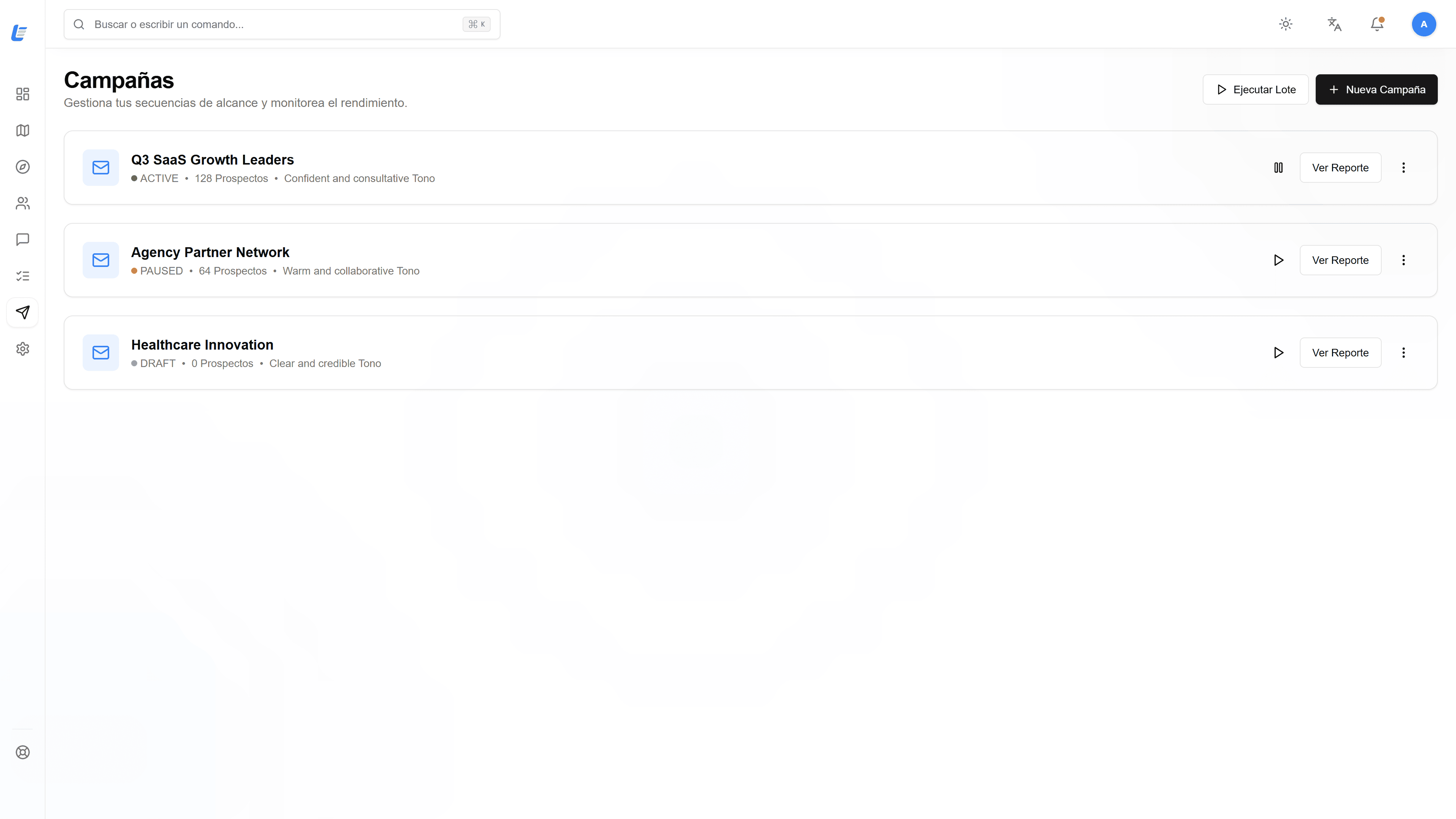
It looks like an interface detail and it is a data model decision. Why a product's navigation ends up being its data model is in Making a complex product feel obvious.
Esser reads what the team reads
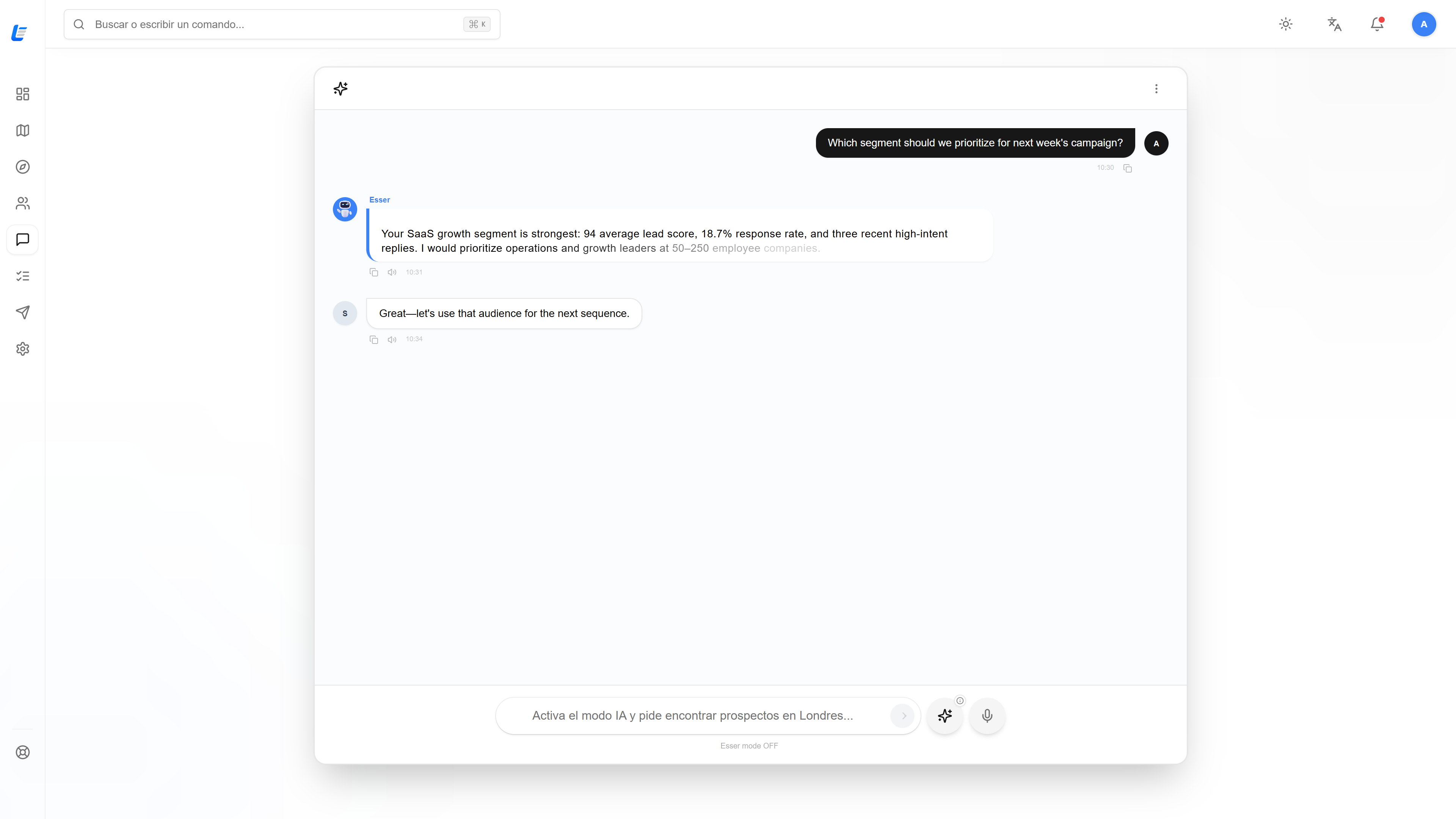
Leadesse has an assistant called Esser. It reads the same pipeline as the team, so it answers with information already held in the product: it compares segments, flags an opportunity or prepares an action.
What it never does is ask the team to explain the business again. An assistant you have to paste context into for every conversation is one more tab, not part of the product.
And whatever it prepares goes down the same path as everything else. If it drafts a message, the draft reaches the review queue like any other.
The review queue
Everything above prepares one moment: someone decides whether a message goes out. That is why the review queue is the centre of the product, not a setting tucked away somewhere.
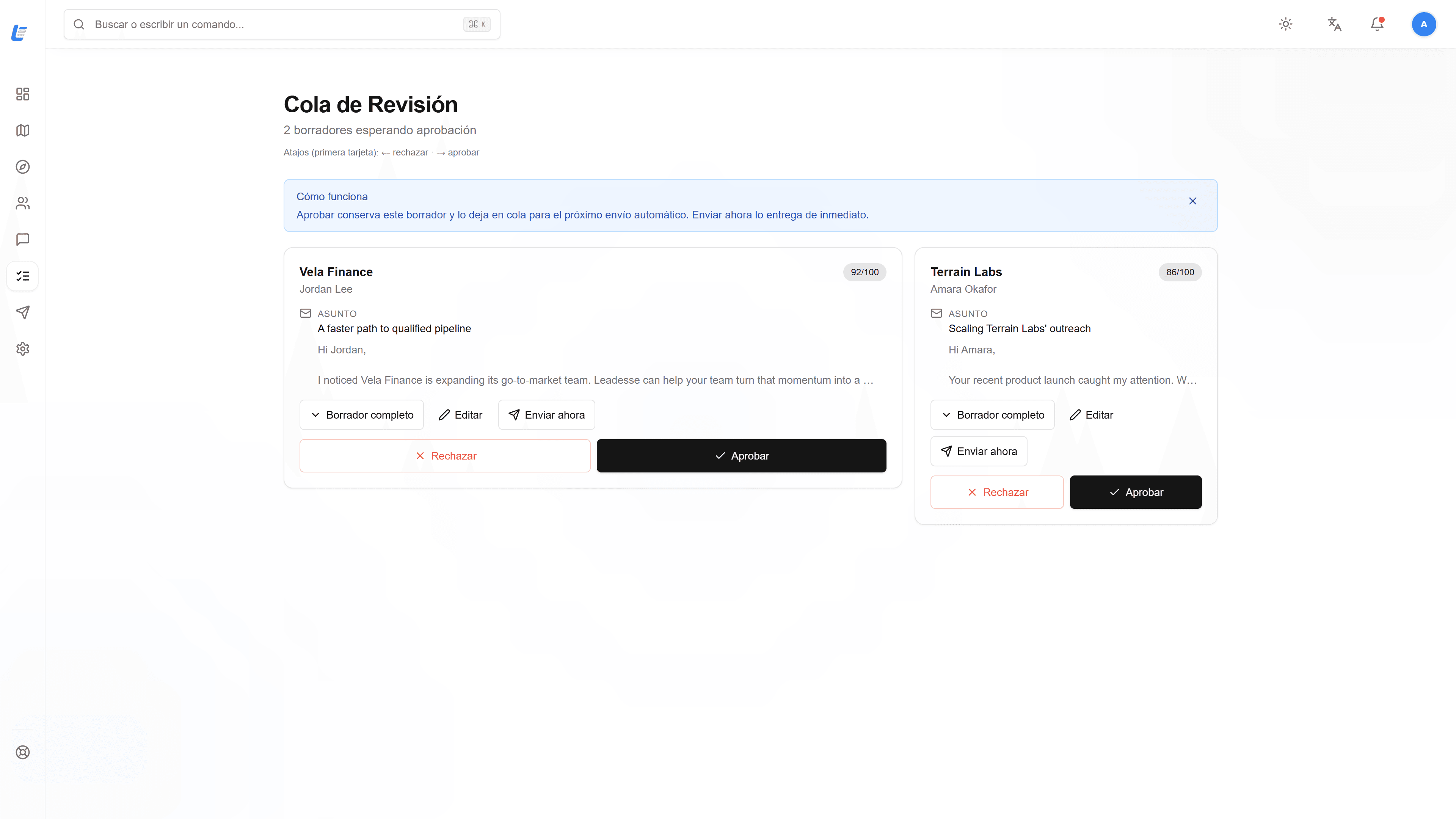
Each draft arrives with the lead, the subject line, the start of the text and a score in view. From there it can be approved, edited or rejected without leaving the screen, and opened in full when it needs reading end to end.
The screen itself spells out the difference between approving and sending: approving keeps the draft and queues it for the next automatic send; sending now delivers it immediately. The person chooses the timing, not only the content.
What is a review queue in an AI product?
It is where drafts written by the AI wait for a person to approve, edit or reject them before they are sent. In Leadesse each draft arrives with the lead, the subject and a score; approving queues it for the next send, while sending now delivers it on the spot.
It is the same idea we apply to AI automation for business: routine work moves on its own, and anything that needs judgement reaches a person ready to decide. How to pick the first thing to automate is in What to automate first, and what to leave alone.
Three robots on the case study
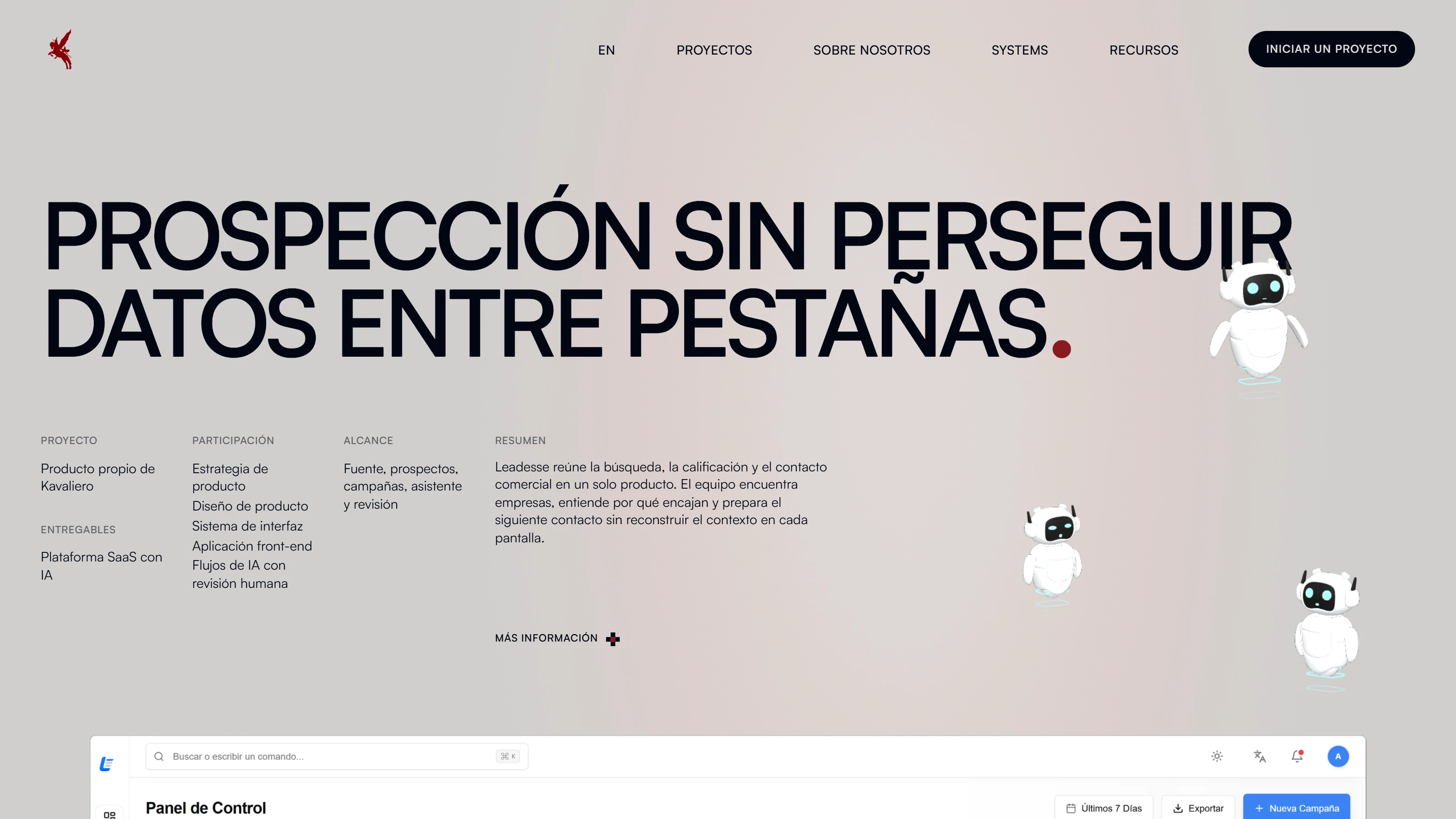
The Leadesse case study on this site opens on three robots, one of them across the end of its headline and two beside its facts. They are one model, a robot under a CC BY 4.0 licence credited in the legal notice, and the same model that stands on the IMPULSO screen of our landing page, refinished there in white ceramic, as we describe in Behind kavaliero.com.
The model has no skeleton. It carries a single ten-second clip that moves its parts. Each robot gets its character from how it is placed and from small gestures applied on top of the clip, after the clip has written its pose.
Three things that model taught us, in case you are working with one like it:
- A gesture aims at an absolute pose, never multiplies the current one. The clip does not rewrite every part every frame, so a per-frame factor compounds. Once, a mouth grew about 1.5 times a frame until it covered the headline.
- Part names change on load. Three.js’s loader cleans them up, and "Hand origin" arrives as "Hand_origin". The gesture was targeting a name that no longer existed. This was a visual defect in the case-study animation; correcting the target restored the wave.
- Read the clip before animating a part. The mouth and the eyes deform on an axis nobody would guess. Scaling the other two moves nothing on screen.
What we had to fix
Preparing the robots caused a brief freeze on the case-study page’s first load. The scene mounted as soon as it appeared and prepared its lighting while the headline was rising, so the headline paused and then jumped into place. That affected the page’s responsiveness and warranted higher priority than a missing gesture. It was a performance defect in the presentation of Leadesse; the behaviour described here concerns that page, rather than the product’s message-review workflow.
The scene now waits for the headline to finish rising, and it also compiles its programs without blocking the main thread. It needed both: with only the first, the hitch simply moved to the first turn of the mouse wheel.
What to ask an AI before it writes to your customers
If you are weighing up an AI product that will speak on your company's behalf, these questions tell a tool from a liability.
- Can it explain why it picked each recipient? If not, nobody can review the list.
- Who approves before anything is sent? There has to be a person, and their step has to be quick or it will end up skipped.
- Can a draft be corrected without leaving the screen? Editing outside the product breaks the record of what went out.
- Does the assistant read your data or ask you for it? If you have to repeat the context, it is not integrated.
- What happens to a rejected draft? It should never find another way out.
If you want to see how we show a product like this without stock photography, that is in An automation page with no stock photos.
Technologies and tools
The captures
- The Leadesse working demo
- No sign-in, sample data
- 4K captures
- Taken from the demo at 3840 by 2160 pixels
The case study page
- Three.js
- The three robots, in a lighting studio of their own
- robot.glb (Shayan, CC BY 4.0)
- The model, with its ten-second clip
- AnimationMixer
- The clip, with each robot's gestures applied on top
- KHR_parallel_shader_compile
- Compiling the scene without freezing the headline's rise
- GSAP
- The headline's rise, which the scene waits for
Related projects and insights
Does your team lose the context between tools? Write to us and tell us what happens between finding a customer and writing to them.
FAQ
What is Leadesse?
Leadesse is Kavaliero's AI SaaS platform for sales prospecting. It brings company search, qualification, campaigns, an assistant called Esser and a human review queue into one product, and keeps the reason each lead fits attached to the work that follows.
Should an AI write to customers unsupervised?
It can, but it should not. An AI drafts a first message well and can also get the tone, a fact or the recipient wrong. In Leadesse no draft goes out on its own: each one waits in a queue for a person to approve, edit or reject it.
What is human review in an AI SaaS?
It is the step where a person decides on what the AI produced before it has any effect outside the product. In Leadesse that step is the review queue, and it sits at the centre of the product: the dashboard shows how many drafts are waiting, and each is approved, edited or rejected without leaving the screen.
How do you design an assistant inside a product?
Give it the same data the team works from, and route its actions through the same controls. Esser, Leadesse's assistant, reads the pipeline, so it can compare segments or prepare an action without anyone explaining the business to it, and what it drafts reaches the same review queue as everything else.